
Welcome to the Jungle with Hell Let Loose: Vietnam
Getting Started is easier than ever.
Lets begin with the order form: https://qonzer.com/game-servers/hell-let-loose-vietnam
Hell Let Loose Vietnam is pre configured to the UltimateOC package. This package allows you access to 32GB of DDR5 Memory, 200GB of NVME Storage and 8 CPU threads. Hell Let Loose Vietnam is prepackaged and deployed on servers specific to Hell Let Loose: Vietnam. As with all our games, you have access to our extensive list of locations and the ability to add qGuard, our triple layer, ddos protected network. Servers are instantly deployed, but if you order qGuard there is an important step that you must action. Once the order is paid for, and you ordered qGuard, you must reach out to us by Livechat so we can enable qGuard and work through some configuration steps with you. We cannot speak to anyone on Livechat except the account owner.
After ordering, your service will deploy automatically. You will receive an email with your login credentials to qp.qonzer.com
Once you login, on the top of the page, you will find your “Toolbar”. For quick access, you can click Service Management -> Applications
Every available option for configuring your server both ingame and on the panel can be done in Configuration Files: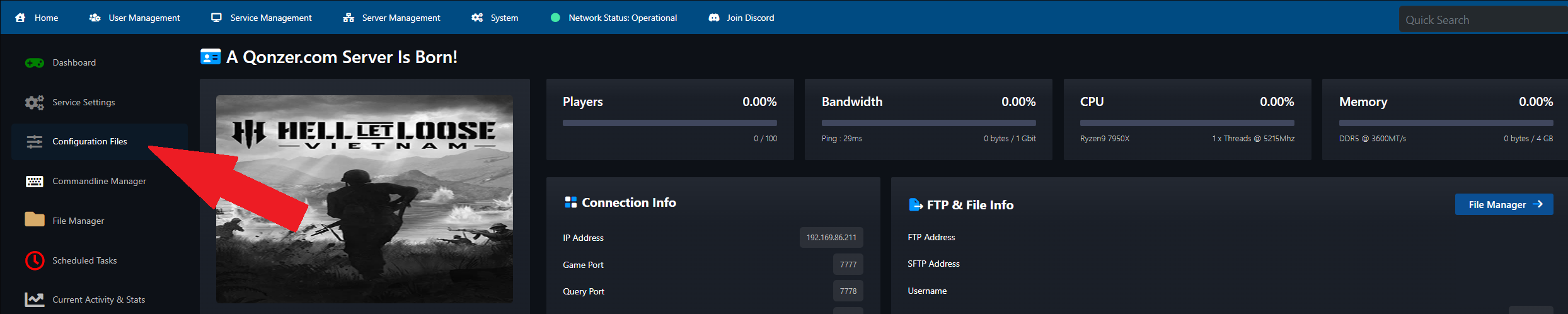
Adminpermissions.ini – An overview of default permissions for Hell Let Loose: Vietnam admins
AdminUsers.ini – You can add users using their EOS (Epic Online Store) ID and _ nickname
These are a unique ID that you can use to track players across your HLL:V servers. They are a unique 32 character string of letters and numbers.
Example: 00020bd4674f4c6c850e1se01b35b29c5 Spectator "name" - Admin Cam Permissions
MapRotations.ini – You can add the names of all maps you want in your map rotation. You can configure them to shuffle. This is also how you set the game mode by adding the map name and game mode in the rotation.
Server.ini – Server name, Server Password, RCON Password, and setting cross play settings.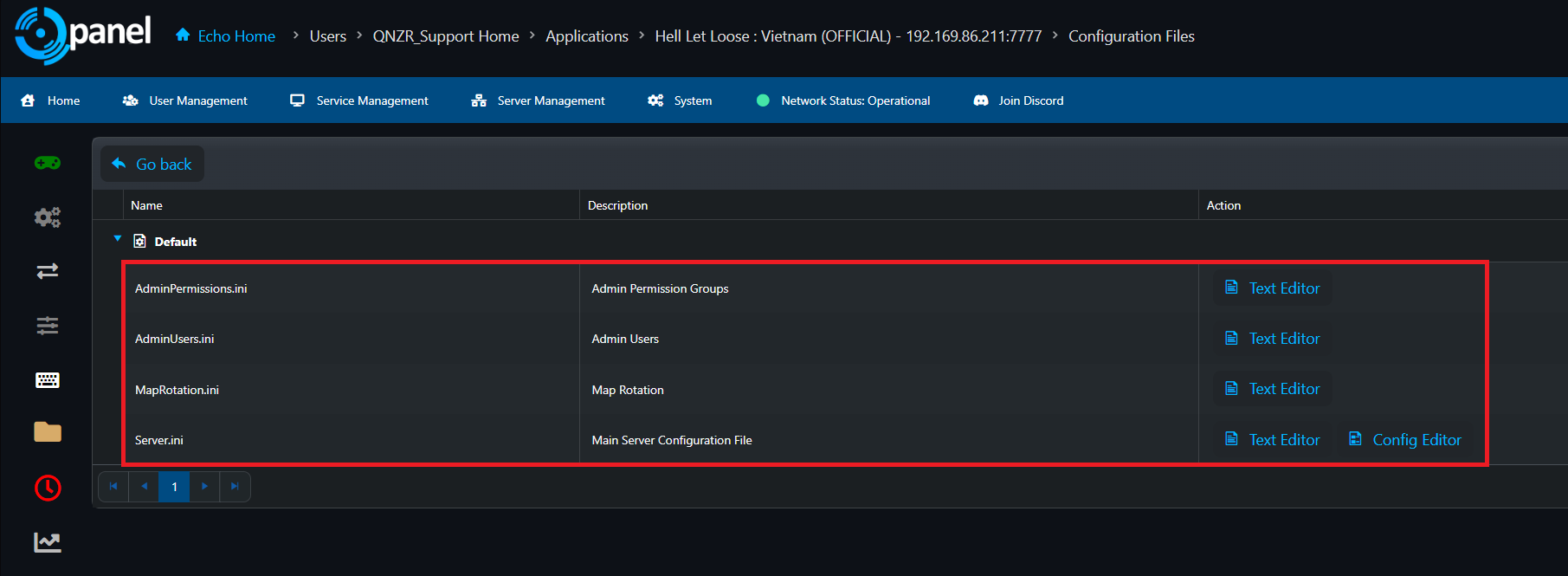
Where to Find Admin Tools
The config files above get your server running, but day to day administration — kicking, banning, VIPs, watching who’s on — is done through an admin tool that connects over RCON. You’ll need your RCON password from Server.ini and your server IP and RCON port, all of which are on your main configuration page in qPanel.
Hosted CRCON
CRCON (Community RCON) is the community standard admin tool for Hell Let Loose. It’s a web app that gives you a live player list with EOS IDs, session times, teams and squads; ban and VIP management; automated moderation; and searchable player and chat history. It’s free and open source, but it’s built to run 24/7 on its own server, which means normally you’d have to host and maintain it yourself.
Hosted CRCON does that part for you. They’re a Qonzer partner — they run the CRCON instance and you just use it, no VPS, no Docker, no maintenance. You create an organization on their portal, invite your other admins, enter your server’s IP, RCON port and RCON password, and it sets itself up in a few minutes. Their interface is mobile friendly, so you can moderate from your phone. If your RCON details ever change, you can update them yourself from the management page without waiting on anyone.
Bifrost
https://bifrostgaming.com/
http://discord.gg/bifrostgaming
Bifrost helps you manage, moderate, and automate multiplayer game servers from one place. It combines real-time RCON server control, automated moderation, cross-community ban sharing, player statistics, and a mobile console — across PC and console, for games including Hell Let Loose and Hell Let Loose: Vietnam. While being easy to setup, Bifrost offers many automation tasks pre- configured with easy to use modules.
Either tool will work with your Qonzer server. If you have trouble getting one connected, reach out to us on Livechat — remember, we can only speak with the account owner.
Other Options
CRCON Self Host Option - https://github.com/MarechJ/hll_rcon_tool
Web based RCON tool with planned Vietnam support - https://hllrcon.com